
8 Techniques to Manage Flexible Work Hours (That Actually Work)
 Kapil Garg |
Updated: May 6, 2026
Kapil Garg |
Updated: May 6, 2026
- What Are Flexible Work Hours?
- Common Challenges of Managing Flexible Work Hours
- 8 Techniques to Manage Flexible Work Hours Effectively
- 1. Define Clear Core Hours for Team Overlap
- 2. Build a Written Flexible Work Policy
- 3. Shift Focus from Hours to Outcomes
- 4. Use Time Tracking to Stay Aligned (Not to Spy)
- 5. Master Asynchronous Communication
- 6. Schedule Regular One-on-Ones and Check-Ins
- 7. Trust Your Team and Lead by Example
- 8. Review, Adjust, and Iterate Regularly
- How Clockdiary Helps You Manage Flexible Work Hours
- Best Practices for Long-Term Success with Flexible Schedules
- Frequently Asked Questions
- Final Thoughts
- What Are Flexible Work Hours?
- Common Challenges of Managing Flexible Work Hours
- 8 Techniques to Manage Flexible Work Hours Effectively
- 1. Define Clear Core Hours for Team Overlap
- 2. Build a Written Flexible Work Policy
- 3. Shift Focus from Hours to Outcomes
- 4. Use Time Tracking to Stay Aligned (Not to Spy)
- 5. Master Asynchronous Communication
- 6. Schedule Regular One-on-Ones and Check-Ins
- 7. Trust Your Team and Lead by Example
- 8. Review, Adjust, and Iterate Regularly
- How Clockdiary Helps You Manage Flexible Work Hours
- Best Practices for Long-Term Success with Flexible Schedules
- Frequently Asked Questions
- Final Thoughts
The 9-to-5 isn't dead, but it's definitely not the only option anymore. Roughly two-thirds of US companies and about nine in ten UK organizations now offer some form of flexible working. Your team probably expects it. The question isn't whether to offer flexible work hours, it's how to manage flexible work hours without losing visibility, missing deadlines, or burning out the people you trust.
This guide walks you through 8 practical techniques that actually work. No vague advice, no "just trust your team and hope for the best." Just real systems you can put in place this week.
- 87% of employees say they would work flexibly if given the option, making flexibility a hiring and retention essential, not a perk.
- The biggest mistake managers make is measuring hours instead of outcomes. Shift to results-based performance and most issues solve themselves.
- Core hours, written policies, and asynchronous communication are the three pillars that hold a flexible team together.
- Time tracking is not the same as surveillance. Used right, it builds trust and gives your team data to work smarter.
- Flexibility breaks down without regular check-ins, clear expectations, and a manager willing to lead by example.
What Are Flexible Work Hours?
Flexible work hours let employees decide when they work, as long as they meet their job requirements and agreed-upon hours. There's no single template. Some teams use flextime with a core overlap window, others go fully async, and others use compressed workweeks where people work four longer days instead of five.
The point is the same across all of them: control over time. People do their best thinking at different times, and forcing everyone into the same eight-hour box ignores how humans actually work.
Defining Flexible Work Hours in the Modern Workplace
Flexible work hours sit under a broader umbrella called flexible work arrangements. The umbrella includes flextime (choosing your start and end times), compressed workweeks (more hours in fewer days), remote and hybrid setups, job sharing, and results-only environments where you're judged purely on output.
The most common version is flextime with core hours. Employees pick their schedule, but everyone is online during a shared window, usually three or four hours, for meetings and quick collaboration. If you want a deeper breakdown of how this looks in practice, here's our flex schedule explained in detail.
Why Flexible Work Hours Matter More Than Ever
The demand isn't slowing down. About 87% of workers would take the chance to work flexibly if it were offered, and around 65% are interested in microshifting, the practice of breaking work into shorter, non-linear blocks throughout the day. Younger workers are leaving jobs over it: roughly 1.1 million UK workers changed jobs in the past year because their employer didn't offer enough flexibility.
For employers, the numbers also add up. About 72% of companies with hybrid policies report higher productivity, and 79% report cost savings. Around 41% of employers say flexible arrangements have improved productivity and efficiency, while another 43% say it has made little difference, meaning very few report a drop. The risk of offering flexibility is small. The risk of not offering it is steep.
Common Challenges of Managing Flexible Work Hours
Flexibility sounds great until you're the one running the team. Here's what trips most managers up.
Tracking Time Without Micromanaging
The instinct, when you can't see your team, is to surveil them. Bad idea. Heavy-handed monitoring kills trust and pushes good people out the door. The trick is tracking employee time without breaching privacy, where the data flows to the employee first, the manager second, and only for project and payroll accuracy.
Coordinating Across Different Schedules
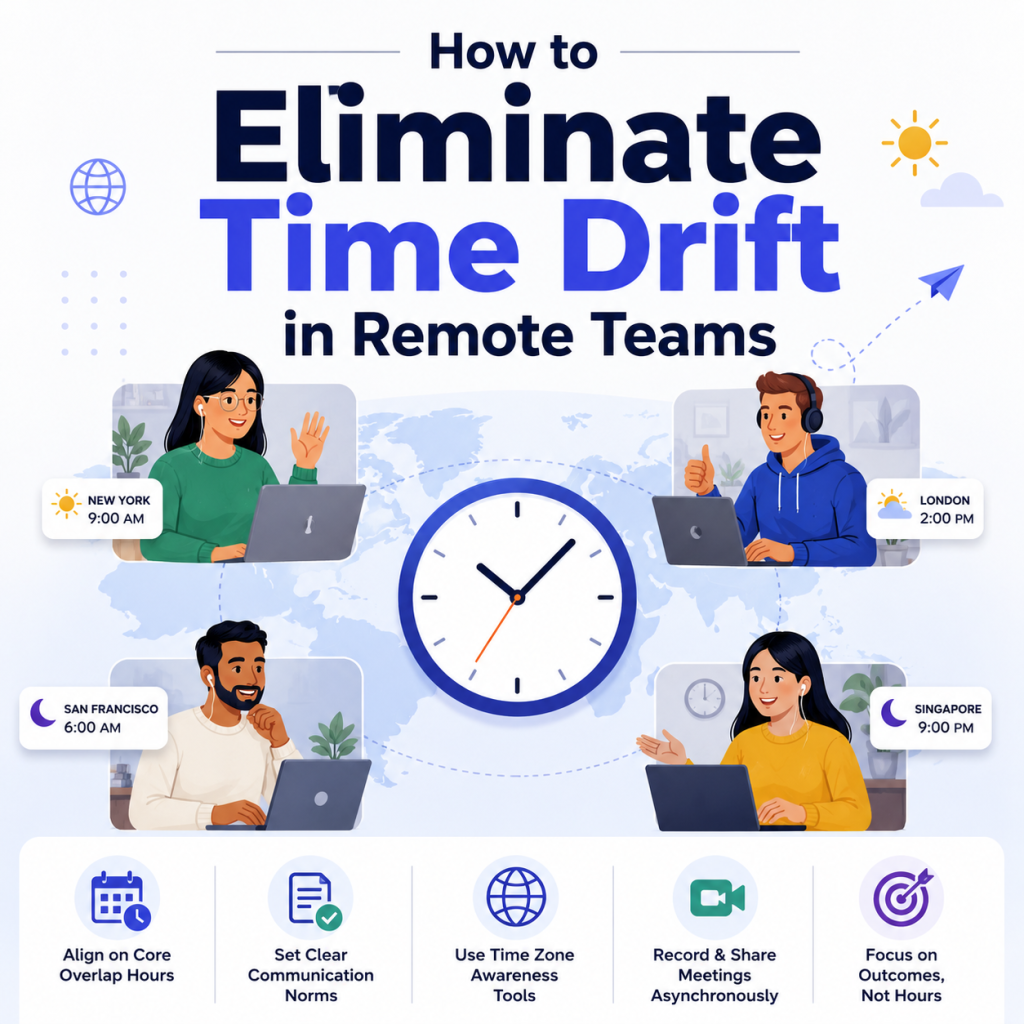
When one person starts at 7 AM and another at 11 AM, meetings get harder. Decisions stall. People wait on replies. The fix isn't to force everyone into the same hours; it's to design around the differences with shared windows and async-first habits.
Preventing Burnout and Overwork
Counterintuitive, but flexible workers often work more, not less. One survey found remote employees with flexible hours put in 1.4 more days a month than office workers, roughly 17 extra days a year. Without clear boundaries, "always available" becomes the default. Your job as a manager is to protect your team from themselves.
8 Techniques to Manage Flexible Work Hours Effectively
Here are the eight techniques that consistently work, in the order most teams should apply them. Each builds on the one before, so resist the urge to skip ahead. The teams that get flexibility right tend to nail the basics first.
1. Define Clear Core Hours for Team Overlap
Core hours are the non-negotiable window when everyone has to be online. Outside that window, people choose their own schedule. This single decision solves about half of the coordination problems flexible teams face.
How to Set Core Hours That Work
Pick a window of three to four hours that overlaps with the majority of your team's time zones and energy peaks. A common pattern is 11 AM to 2 PM in your team's primary time zone. Inside that window, schedule all meetings, decision points, and live collaboration. Outside it, people are free to work, sleep, or pick up their kids.
Keep it tight. If you make core hours too long, you've just rebuilt the 9-to-5 with extra steps.
2. Build a Written Flexible Work Policy
A policy turns "we're flexible" into "here's exactly how we're flexible." Without one, every employee invents their own rules, and managers end up making the same decision a hundred different ways.
What to Include in Your Policy
Cover these areas in plain English:
-
1
Eligibility and Scope
Spell out which roles, teams, and tenure levels qualify for flexible arrangements. Be specific so there's no guessing.
-
2
Available Arrangements
List every option you offer: flextime, compressed week, hybrid, fully remote, job sharing. Not every option fits every role.
-
3
Core Hours and Availability
Define the shared window everyone must be online and the expected response times outside of it.
-
4
Performance Expectations
Make it clear how performance gets measured. Outputs, deadlines, and KPIs, not seat time.
-
5
Request and Review Process
Document how someone requests a flexible setup and how often the policy gets revisited (annually is reasonable).
Share it openly. A policy hidden in the HR drive does nothing. A policy in the team handbook everyone sees does everything.
3. Shift Focus from Hours to Outcomes
This is the mindset shift most managers struggle with. If you measure success by hours logged, you'll always feel out of control with a flexible team. If you measure by outputs delivered, you stop caring when someone works and start caring whether the work got done.
Setting Measurable Goals
Every role should have three to five clear deliverables per quarter, plus weekly or biweekly checkpoints. Use frameworks like OKRs, KPIs, or simple deliverable lists. The point is that "good performance" should be obvious to both the employee and the manager without anyone counting hours.
For roles where output is harder to quantify, like support or admin, focus on response times, ticket resolution rates, or accuracy. There's almost always a way to calculate employee productivity properly without watching the clock.
4. Use Time Tracking to Stay Aligned (Not to Spy)
Time tracking gets a bad rap because it's been used badly. Done right, it's not surveillance, it's data. It tells your team where their hours actually go, helps you spot people drowning in meetings, and gives you accurate numbers for client billing and payroll.
The rule: tracking should help the employee first. If the data only flows to the manager, you've built surveillance. If the employee sees their own patterns, can correct course, and uses the data to push back on overwork, you've built a tool.
What to Track (and What to Skip)
Track time spent per project, per task, and per client. That covers billing, payroll, and capacity planning. Don't track keystrokes, mouse movements, or screenshots unless your industry truly requires it. The cost in trust is almost never worth the data you get back.
A solid work hours tracker handles the basics: start and stop times, project tagging, and reports the team can actually read. Anything beyond that is usually overkill.
5. Master Asynchronous Communication
Async communication means not everyone has to be online at the same time for work to happen. It's the operating system flexible teams run on.
The mental shift is this: stop expecting instant replies. Send a clear, complete message that doesn't need follow-up. Assume the recipient will respond inside a 24-hour window, not a 24-minute one.
Async Tools and Habits That Help
Three habits do most of the work. First, write detailed messages with full context, links, and the decision you need. Second, record short video updates instead of holding meetings to share information. Third, document decisions in a shared place so people who were offline can catch up.
Tools that support this are anything that lets you communicate without forcing the other person to be present. Slack threads, Loom videos, Notion docs, async standup tools. The exact stack matters less than the discipline of using it consistently.
6. Schedule Regular One-on-Ones and Check-Ins
Flexibility doesn't mean less contact. If anything, it means more deliberate contact. When you can't bump into someone at the coffee machine, you have to schedule the conversation.
A 30-minute weekly one-on-one with each direct report covers most of what you'd otherwise miss. Talk about workload, blockers, career goals, and personal stuff if they want to share. Add a weekly team sync of 30 to 45 minutes for shared updates and decisions.
The signal you're sending is: I see you, even when I can't see you. That's how building a high-performing team actually works in practice.
7. Trust Your Team and Lead by Example
Trust is the cheapest and most powerful management tool you have. If you assume people are slacking, they'll feel it, and the relationship will sour. If you assume they're capable adults doing their best, they usually rise to it.
Model the behavior. Take your own flexible time. Log off at a reasonable hour. Don't email at 11 PM unless you genuinely need to. If you say boundaries matter and then violate them yourself, your team learns to ignore the words.
The simple test. If you only trust an employee when you can see them, the issue isn't their location, it's the hire. Flexibility just exposes problems that were always there.
8. Review, Adjust, and Iterate Regularly
No flexible work setup is "set and forget." Schedules drift, team needs change, and what worked six months ago might be hurting you now. Build in formal reviews.
Metrics to Watch
Look at these every quarter: employee engagement and satisfaction scores, project delivery rates and deadline hits, sick days and PTO usage (low usage often signals burnout), turnover and exit interview themes, and client satisfaction or NPS.
If any of these slide, dig into the policy and the practices, not just the people. Most of the time, the system is the issue, not the team.
How Clockdiary Helps You Manage Flexible Work Hours
You can run a flexible team without software, but it gets messy fast. Clockdiary is built specifically for the kind of distributed, async-friendly setup most flexible teams operate in.
Activity Tracker for Honest Visibility
The Activity Tracker is the feature that makes flexible work feel less like a leap of faith. It quietly records active work time across applications and projects, so both the employee and the manager have a clear, honest picture of where the day went. No keystroke logging, no aggressive screenshots every five minutes, just a sensible record of what got worked on and for how long.
For employees, that means data they can use to push back when they're overloaded or to prove their case at review time. For managers, it means you stop guessing whether the work is happening and start seeing it. The Activity Tracker pairs well with remote employee monitoring software features when you need an extra layer of insight, especially for client billing accuracy.
Timesheets and Reports That Build Trust
Timesheets shouldn't be a chore. Clockdiary's timesheet app lets people log time as they work or fill it in at the end of the day, then export clean reports for payroll, billing, or client invoices. Managers see who is over capacity and who has room. Employees see their own patterns and adjust.
Work Hours Tracker Built for Distributed Teams
When your team is spread across cities, countries, or time zones, the work hours tracker pulls everyone's hours into one place. You can see who is working when, spot overlap windows for meetings, and run accurate payroll without chasing people for timesheets. It's the kind of tool that makes flexibility scalable instead of chaotic.
Best Practices for Long-Term Success with Flexible Schedules
Techniques get you started. These habits keep flexible work healthy over years, not just months.
Encourage Regular Breaks and Time-Off
Flexible workers skip vacations and take fewer breaks more often than office workers. Push back on it. Encourage people to actually use their PTO. Block out "no-meeting" days. Send the message that resting is part of doing good work, not the opposite.
Train Managers to Lead Flexibly
The biggest barrier to flexible work isn't usually employees, it's managers who don't know how to lead without line of sight. Invest in training. Teach managers to set outcomes, hold async-first meetings, and run effective one-on-ones. Give them frameworks, not just permission.
Keep Iterating Based on Feedback
Run an anonymous survey every six months. Ask what's working, what's broken, and what would make flexibility better. Then actually change things based on the answers. Teams notice when feedback gets ignored, and they stop giving it.
Frequently Asked Questions
Q: How do you manage employees on flexible work hours?
Manage flexible work hours by defining core overlap hours, writing a clear policy, measuring outcomes instead of hours, using time tracking as a data tool (not surveillance), running async-first communication, and holding regular one-on-ones. Trust and transparency replace line of sight.
Q: What are the main types of flexible work schedules?
The main types are flextime (employees pick start and end times), compressed workweek (more hours over fewer days, like 4x10), remote and hybrid setups, job sharing (two people splitting one role), and results-only work environments where output replaces hours as the measure of performance.
Q: How do you track flexible work hours without micromanaging?
Use a time tracker that gives data to the employee first, manager second. Track time per project and task, not keystrokes or screenshots. Make the data useful for the worker (capacity planning, work-life balance) instead of using it to police them. Tools like Clockdiary's Activity Tracker are built for this balance.
Q: What are core hours in flexible working?
Core hours are a set window (usually three to four hours) when everyone on the team must be online and reachable. Outside that window, employees choose their own hours. Core hours protect collaboration without forcing rigid 9-to-5 schedules.
Q: How do you maintain productivity with flexible work hours?
Productivity holds when you measure outputs (deliverables, KPIs, project milestones) instead of hours. Add written goals, regular check-ins, and tools that let people work asynchronously. About 72% of companies with hybrid policies report higher productivity when these elements are in place.
Q: What are the biggest challenges of managing flexible work hours?
The three biggest are tracking time without crossing into surveillance, coordinating meetings across different schedules, and preventing burnout (flexible workers often work more, not less). Each one has a fix: privacy-respecting time tracking, core hours plus async habits, and active manager modeling of healthy boundaries.
Q: Is flexible working effective for employees and employers?
Yes for both, when managed well. About 87% of employees would work flexibly if offered, and 85% of businesses report higher productivity after implementing flexible policies. Around 71% of companies say flexibility helps them attract and retain talent.
Final Thoughts
Managing flexible work hours isn't about giving up control. It's about trading the old kind of control, the watchful eyes and packed offices, for a new kind: clear policies, measurable outcomes, honest communication, and tools that respect everyone's time. The eight techniques above are the playbook. Pick three to start with this month, build the muscle, then layer in the rest.
The teams that get this right will keep their best people, attract great new ones, and ship better work. The ones that don't will spend the next decade watching talent walk out the door.